Getting Started
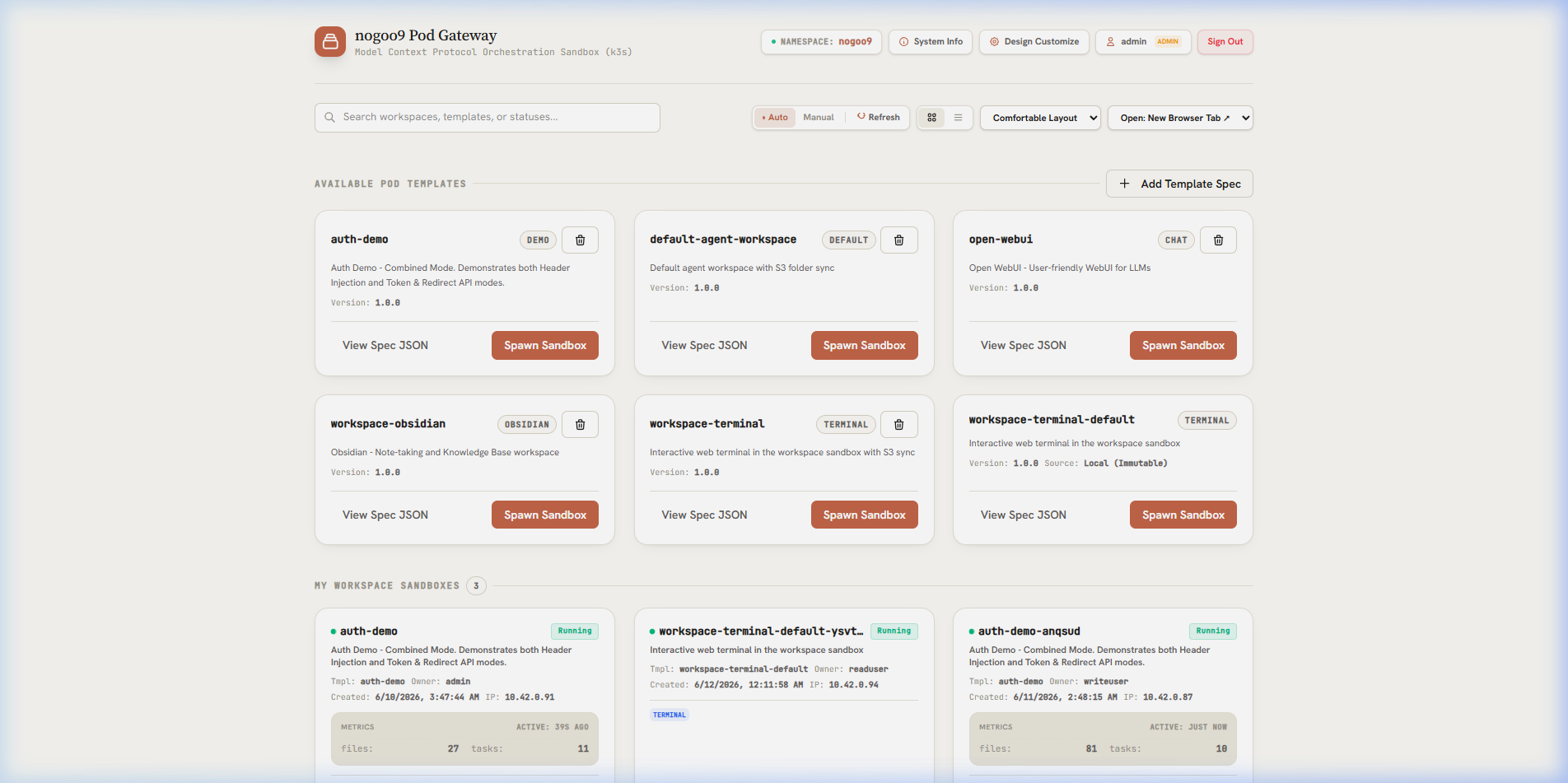
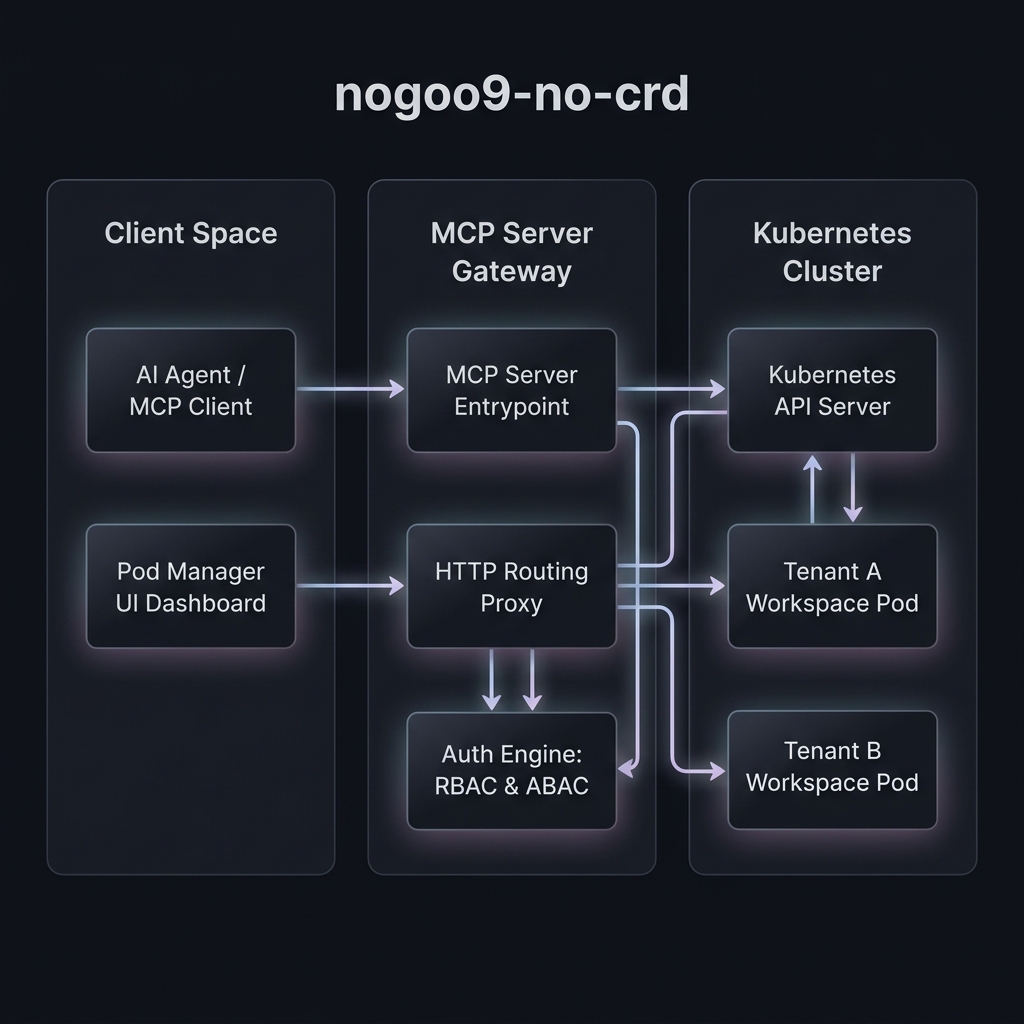
nogoo9 is a platform for agent-driven, on-demand pod orchestration in Kubernetes (k8s/k3s) without Custom Resource Definitions (CRDs). It allows developers and AI agents to dynamically spin up, route to, and manage ephemeral workloads.
Architecture Topology
Installation
The package is published and available on npm: @nogoo9/no-crd.
Add the package to your project or install globally:
bun install @nogoo9/no-crdRunning the MCP Server
You can run the server using Bun, Deno, or Node.js from the source file src/server-entry.ts, run via Docker, or by using the global CLI.
Using Docker
The official container image is published on GitHub Container Registry (GHCR) as ghcr.io/nogoo9/no-crd. You can run the server in a container by mounting your local Kubernetes configuration:
docker run -d -p 3000:3000 \
  -v "$HOME/.kube/config:/app/.kube/config:ro" \
  -e KUBECONFIG=/app/.kube/config \
  ghcr.io/nogoo9/no-crd:latest
Using Bun (Recommended)
bun run src/server-entry.tsWARNING
WebSocket Proxy Limitation in Bun: When running the HTTP server under Bun, WebSocket connections (used for terminal/GUI access to workspace pods) will fail or hang due to an open regression in Bun's Node compatibility layer (socket.write() drops data on upgraded connections). If your workspaces rely on WebSocket proxying (e.g. terminals, Obsidian, VNC), you must run the server using Node.js (e.g., npx tsx src/server-entry.ts or node dist/server-entry.js). See oven-sh/bun#28871 for details.
Using Node.js
npx tsx src/server-entry.tsUsing Deno
deno run --allow-all src/server-entry.tsService Startup Sequence
When you boot the nogoo9-no-crd server (in HTTP or both transports), the service undergoes a sequential startup validation process to fail fast on configuration errors and prevent unhealthy routing:
Detailed Startup Steps:
- Polyfill & Validation: Global polyfills (such as
Buffer) are loaded first for Deno/Node compatibility. If authentication is enabled (AUTH_ENABLED=true), the OIDC URL configurations are validated. - Logging Initialization: Configures
LogTapelogger sinks. If utilizing thestdiotransport, the console logging outputs are suppressed (console.log = () => {}) to preserve stdin/stdout protocol integrity. - Eager Kubernetes Connectivity Check: Probes the Kubernetes API server using a
listNamespacedPodrequest (withlimit: 1). If the connection is refused or the API is unreachable, the server exits immediately with actionable hints. - Eager MCP Tool Registration Validation: Constructs a throwaway MCP server instance to verify that the pod's RBAC service account holds the required permissions to list resources and register tools.
- Fastify Server Binding: Binds the HTTP/HTTPS listeners to the designated host and port.
- Eager Session Key Resolution: Initiates the session key negotiation/resolution cascade (
resolveSessionSecret()):- Reads environment variables (
PROXY_SESSION_SECRET/JWT_SECRET). - Attempts to read or create a Kubernetes Secret (
nogoo9-session-key). - Queries sibling pods via
/internal/session-keyif RBAC writes are disabled. - Generates a random key in-memory as a fallback.
- Reads environment variables (
- Liveness & Readiness Block: Until the session key is resolved,
/healthzand/mcp/healthzendpoints will respond with503 Service Unavailable. This blocks Kubernetes ingress traffic from routing to the booting pod until it has successfully aligned on the session key.
Configuration
The server can be configured via command-line flags or environment variables.
For the full startup sequence checklist, configuration details, and descriptions of all environment variables, please refer to the Configuration & Env Variables Guide.